 blog
blog
Customizable Birthday Invitations for Kids: 2026 Guide
Table of Contents
- Why Customizable Birthday Invitations for Kids Save the Party
- Canva Birthday Invitation Templates: Edit Without Design Skills
- Kids Birthday Invitation Templates: Matching the Theme to the Child
- Birthday Invitation Wording for Kids: What to Say and How to Say It
- Printable Birthday Invitations for Kids: Printing That Looks Professional
- Common Mistakes to Avoid With Customizable Birthday Invitations for Kids
- Frequently Asked Questions
Last Updated: October 19, 2026
Why Customizable Birthday Invitations for Kids Save the Party
Customizable birthday invitations for kids are editable invitation designs you can personalize yourself, changing names, dates, colors, and wording before printing or sending them digitally. At BriarpatchPaper, we build our shop around exactly this kind of tool: editable Canva templates that parents can adapt in minutes rather than hours.
The case for going editable is simple. A store-bought pack locks you into one design, one size, and one message. A customizable template lets you match the invitation to the child, the theme, and the venue without starting from a blank canvas.
There is a quieter benefit too. Planning a children's party involves a dozen small decisions, and invitation design is the one most parents dread. Templates remove the dread.
Canva Birthday Invitation Templates: Edit Without Design Skills
Canva birthday invitation templates are pre-designed layouts you open in a free browser-based editor, then change text, colors, and photos with drag-and-drop tools. No software installation is required, and you do not need any design training to produce a clean result.
The workflow is short. Open the template, click any text box, type the new details, swap the photo, then download as a PDF or image. Most parents finish a first draft in under fifteen minutes.
What You Can Change in a Canva Template
Nearly everything on the page is editable in a well-built template:
- Text: names, age, date, time, address, RSVP details, and any custom line
- Fonts: swap typefaces to shift the mood from playful to formal
- Colors: recolor backgrounds, borders, and accent shapes to match a theme
- Photos: drop in a portrait of the birthday child
- Layout: move or resize elements if the design allows it
- Format: export for print at home or as a digital image for messaging apps
One caveat worth knowing: some free templates lock certain elements behind a paid tier. Check what is editable before you commit to a design. Our own templates are built so the elements parents actually want to change stay open.
If you are new to the editor, Canva's own design tutorials walk through the basics in a few short lessons.
Kids Birthday Invitation Templates: Matching the Theme to the Child
The best kids birthday invitation templates start with the child, not the trend. A five-year-old who loves insects will light up at a botanical bug design; a nine-year-old who has opinions will want to approve the colors herself.
A practical way to narrow the field:
- Ask the child for one word that describes the party
- Pick a template family that matches that word
- Choose two colors and hold to them across the invitation, cake table, and party bags
That last step is where most parties look polished and most look scattered. Consistency does more visual work than any single elaborate design.
Birthday Invitation Wording for Kids: What to Say and How to Say It
Birthday invitation wording for kids needs five facts and nothing else: who, what age, when, where, and how to reply. Everything beyond that is style.
The five essentials:
- The child's name and the occasion
- Date and start and end times
- Venue name and address
- RSVP contact and a reply-by date
- Any practical note, such as "bring a swimsuit" or "drop-off only"
Keep sentences short. Parents scan invitations on their phones between other tasks, so clarity beats charm every time.
Wording Examples by Party Style
Playful park party: "Turn the sprinklers on, Ellie is six. Join us Saturday, 14 March, 10am to noon at Willow Park. RSVP to Sam by 7 March."
Calm botanical gathering: "Please join us for cake and lemonade to celebrate Ada's fourth birthday. Sunday, 5 April, 2pm, 12 Fern Lane. Kindly reply by 29 March."
Older child, activity party: "Max is turning ten and we are going climbing. Meet at the centre at 1pm on Saturday, 9 May. Drop-off and pick-up at the front desk. RSVP by 2 May."
Notice that none of these use exclamation marks or exclamation-adjacent phrasing. Warmth comes from the details, not the punctuation.
Printable Birthday Invitations for Kids: Printing That Looks Professional
Printable birthday invitations for kids look professional when you print on the right paper at the right size and let the ink dry before handling. Three variables decide the outcome: paper weight, print settings, and trim.
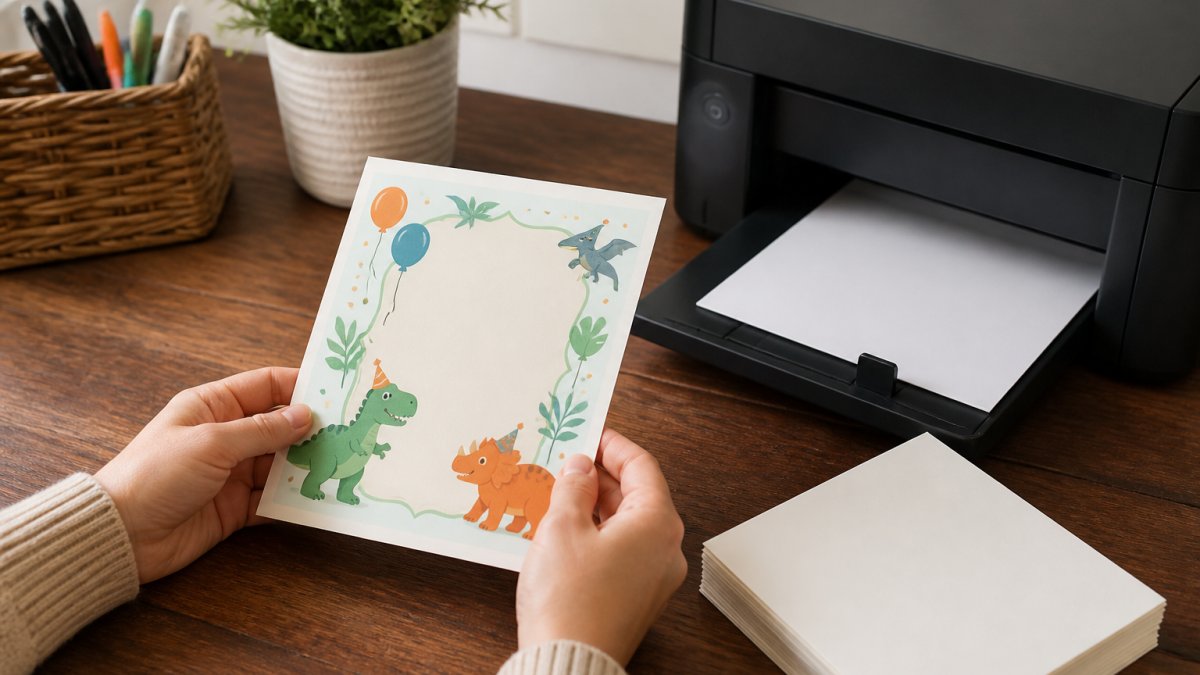
Paper. Standard copy paper buckles and shows ink through the back. Cardstock in the 200 to 250 gsm range holds shape and feels like a card. Matte finishes photograph better and take pen ink cleanly; gloss looks sharper but smudges under a thumb.
Print settings. Set your printer to the highest quality mode and choose "actual size" rather than "fit to page." The second setting silently shrinks your design by a few percent and throws off the trim.
Trim. Print a test sheet first, then cut inside the guide line with a sharp blade or a paper trimmer. Scissors work, but the edge shows.
For digital sending, export as a high-resolution image and check it on a phone screen before you send. A design that reads well on a laptop can turn to mush at thumbnail size. Adobe's guide to print resolution explains why 300 DPI is the standard for anything headed to paper.
Common Mistakes to Avoid With Customizable Birthday Invitations for Kids
Most invitation problems trace back to a handful of avoidable errors, and nearly all of them happen before the file ever reaches a printer.
- Leaving the placeholder text in. "Child's Name" and "Venue TBC" appear on more real invitations than anyone admits. Read the final file line by line before you export.
- Forgetting the reply-by date. Without a deadline, RSVPs trickle in until the day before, and you cannot finalize catering or party bags.
- Mismatching the format to the audience. Grandparents may want a printed card; school parents will reply faster to a digital image in a group chat. Send both if the guest list is mixed.
- Overcrowding the design. A template with five fonts and three graphics fights itself. Choose one focal element and let the rest sit quietly.
- Skipping the phone test. Open the final file on your own phone at normal size. If the venue address is hard to read, it will be harder for a guest in a hurry.
What most guides miss is that the invitation sets the tone for the whole party. A calm, legible card tells guests the event will be organized. A cluttered one suggests otherwise, fairly or not.
BriarpatchPaper's editable Canva templates are built around botanical, minimal layouts precisely because they survive the phone test and print cleanly at home. If you want to see how a template handles before you buy, the Nielsen Norman Group's research on scannable design is a useful primer on why less crowded layouts read faster.
Frequently Asked Questions
What should you include on a kids' birthday invitation?
Include the child's name and age, the party date and start and end times, the venue address, and an RSVP contact with a deadline. Add the theme if there is one, plus any practical notes such as whether siblings are welcome, whether food is provided, or what to wear. For younger children, mention whether a parent should stay. Keep the wording short so the essentials are readable at a glance, and put the RSVP date at least a week before the party so you can finalize numbers.
How do you customize a birthday invitation template in Canva?
Open the template in Canva, click any text box to replace it with your child's details, then swap colors and fonts to match the party theme. Drag in a photo if the design has an image frame, and use the Elements tab to add small graphics. Canva birthday invitation templates keep the layout locked in place, so you are changing content rather than rebuilding the design. When it looks right, download as a PDF Print file for printing or a PNG for sending digitally.
How far in advance should you send kids' birthday invitations?
Send invitations three to four weeks before the party for a standard home or venue celebration. That gives parents enough time to check their calendars and arrange transport or childcare. For parties during school holidays or at busy times of year, add another week. Digital invitations can go out slightly later, but the RSVP deadline still needs at least seven days of breathing room so you can confirm catering and party bag numbers without chasing people.
Can you print invitations made in Canva?
Yes. Download your design as a PDF Print file, which keeps colors and text sharp at full size, then print at home on cardstock or send the file to a local print shop. Choose a matte cardstock around 200 to 250 gsm so the cards feel substantial without jamming a home printer. Run a single test print first to check margins and color, since screen brightness can make pastel designs look lighter on paper than expected.
Planning a child's birthday party involves dozens of small decisions, and the invitation should be the easiest one. BriarpatchPaper offers editable Canva templates with botanical, nature-inspired designs, instant digital downloads, and layouts you can personalize in minutes without design software. Browse the collection and start with a template that already looks finished, then make it yours. Get started with BriarpatchPaper and send an invitation you are glad to hand out.