 listicle
Need a Simple Garden Tracking Template for Beginners?
Last Updated: October 29, 2026
Quick Summary
The best garden tracking templates for beginners record just six things: planting date, variety, location, germination date, harvest window, and notes. Beginners who track twenty metrics quit by June, while beginners who track six keep going for years. Choose paper, digital, or spreadsheet based on how you will actually use it.
- A garden tracking template is a pre-built layout recording what you planted, where, when, and how it performed.
- Build a vegetable planting schedule backward from your last frost date, not forward from good intentions.
- Add a column for your observed frost dates; two seasons of your own data beats any published average.
- Keep a maintenance log under two minutes to update, with a follow-up column to close the loop on pests.
- Archive each season's log by year and write a one-page summary of three wins, three problems, and three changes.
Table of Contents
- Quick Comparison: Garden Tracking Templates at a Glance
- What to Track in a Simple Garden Template
- Using a Vegetable Garden Planting Schedule Template
- Choosing a Digital Garden Planner for Beginners
- Keeping a Garden Maintenance Log That You Actually Use
- Paper vs Digital vs Spreadsheet: Which Tracker Fits You
- Pick Your BriarpatchPaper Garden Tracking Template
- Frequently Asked Questions
Quick Comparison: Garden Tracking Templates at a Glance
The best garden tracking templates for beginners are the ones you will actually open in July, not the ones that look impressive in April. If you are weighing options, this guide to choosing digital planner templates walks through how to decide.
Here is the honest landscape. A garden tracking template is a pre-built layout that records what you planted, where, when, and how it performed, so you stop relying on memory.
| Template | Format | Best For | Standout Feature | Watch-Out |
|---|---|---|---|---|
| BriarpatchPaper Garden Tracker | Canva + hyperlinked PDF | Beginners who want something beautiful and simple | Botanical designs, editable in Canva, instant download | Digital only, no automation |
| Seedtime | App | Automated planting calendars | Personalised to your local climate | Subscription for full access |
| Notion Gardening Tracker | Free workspace | Customisable dashboards | Free, highly flexible | Setup time is real |
| Planter | Freemium app | Visual bed layouts | Drag-and-drop design, companion planting hints | Light on advanced tracking |
| Powered by Tofu Spreadsheet | Excel/Sheets | Data-minded growers | Succession planting and maturity charts | No visual interface |
| My Frugal Home Printables | Pen-and-paper gardeners | Free, binder-friendly | Not searchable |
What to Track in a Simple Garden Template
You need six things: planting date, variety, location, germination date, harvest window, and notes. Everything else is optional. Beginners who track twenty metrics quit by June; beginners who track six keep going for years.
The Essential Data Points
- Planting date and whether you direct sowed or transplanted
- Variety name, not just "tomato"
- Bed or container location for crop rotation later
- Germination date so you learn your real germination rate
- Harvest window based on days to maturity
- Notes on pests, weather, and what you would change
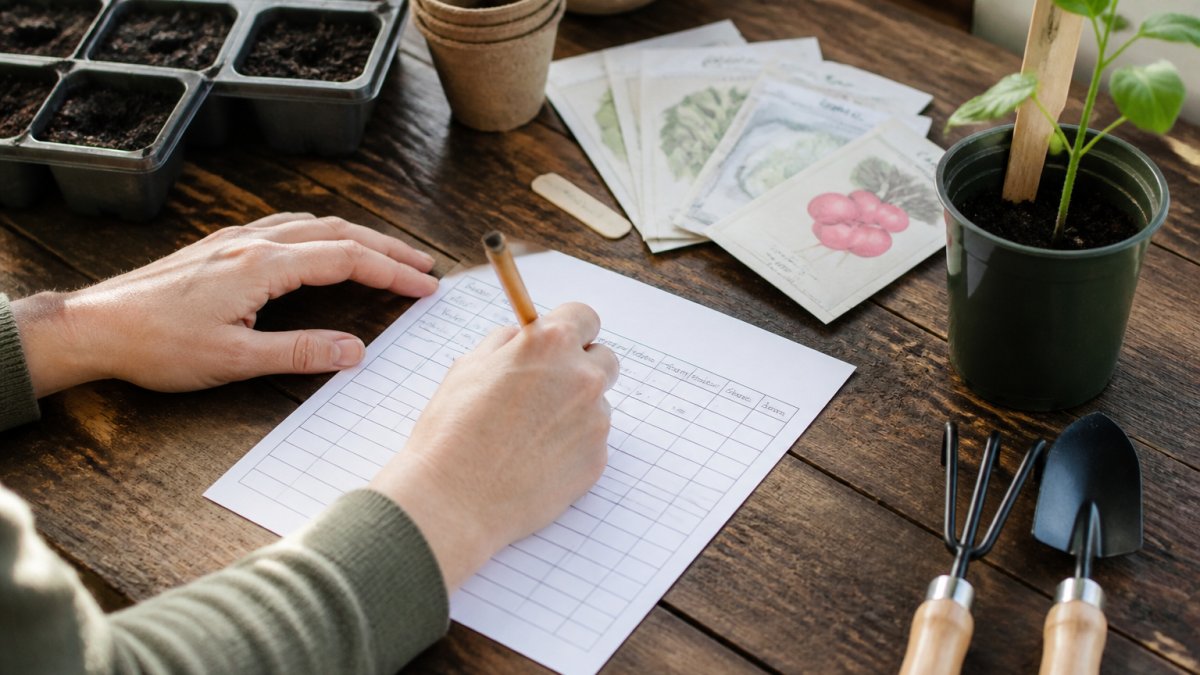
That is your garden log in miniature. Add soil amendments and fertilization schedule notes only once the basics feel automatic.
Using a Vegetable Garden Planting Schedule Template
A vegetable garden planting schedule template maps seed starting dates backward from your last frost date. That is the whole trick. Work backward from frost, not forward from good intentions.
Here is how we would set one up:
- Find your hardiness zone and average last frost date
- List crops by weeks-before-frost for seed starting
- Mark direct sow crops separately
- Add transplant dates for anything started indoors
- Layer in succession planting every 2-3 weeks for fast crops
Ready-made structures genuinely help here. According to CODATA's research on template adoption, templates establish initial project structure and build consistent data habits for small-scale projects.
The LSU AgCenter's guidance on spreadsheet garden planning is worth reading if you want to calculate harvest dates precisely.
The Frost-Date Mechanism Most Beginners Get Wrong
Your last frost date is not a single fixed calendar day. It is a statistical average with a range. Most extension services publish a "last frost date" plus a "10% chance" date that is one to two weeks later.
A concrete example for a Zone 6b gardener with an average last frost of May 10:
- Tomatoes (start indoors 6-8 weeks before): seed starting window March 15-22
- Peppers (start indoors 8-10 weeks before): seed starting window March 1-8
- Lettuce (direct sow 4-6 weeks before last frost): sow April 1-15
- Beans (direct sow after last frost): sow May 10-20
- Fall carrots (sow 10-12 weeks before first fall frost): sow July 15-25
Use the days-to-maturity figures printed on your seed packets, copying them into your template's variety column. Once the packet data lives in your sheet, the schedule recalculates itself next year.
Linking Your Template to Local Weather Data
This is the step almost every beginner guide skips, and it is the one that separates a template you use for one season from one you use for ten.
Three practical ways to wire weather data into a simple template:
- Manual lookup column: add a column for "local last frost (this year)" and update it each January from your extension service or a national weather service frost-date tool. Takes two minutes and keeps the schedule honest.
- Microclimate notes field: record the first and last frost you actually observe in your own yard. After two years you will have a personal frost window that is more accurate than any published average.
- Growing degree day (GDD) tracking: for advanced beginners, add a simple GDD column using daily high and low temperatures. Most extension services publish base temperatures for common crops; a spreadsheet formula handles the math. This is optional, but it is the single best upgrade for anyone tracking more than ten crops.
Succession Planting Without the Spreadsheet Headache
Succession planting is where beginners quit, because it multiplies rows fast. The trick is to template it once.
That is your garden log in miniature. Add soil amendments and fertilization schedule notes only once the basics feel automatic.
Choosing a Digital Garden Planner for Beginners
Pick a digital garden planner for beginners by format first, features second. Ask one question: will you use this on your phone in the garden, or at a desk? If you settle on a hyperlinked planner, here is how to use hyperlinked digital planners on your tablet. The answer decides everything.
Keeping a Garden Maintenance Log That You Actually Use
The only garden maintenance log worth keeping is the one that takes under two minutes to update. Design for that constraint and everything else follows.
Watering, weeding, and pest sightings get noted when they happen, not reconstructed on Sunday evening. A five-minute weekly review catches anything missed.
What most guides miss is that maintenance logs fail for social reasons, not technical ones.
The Mobile-First, Offline Workflow Nobody Talks About
Here is the gap in almost every garden tracking guide: they assume you are logging at a desk. You are not. You are standing in a bed with muddy hands, no signal, and a hose running. A template that requires a cloud connection is a template you will abandon by June.
The fix is a two-layer system that works on any phone:
- Layer 1, capture: a downloaded PDF or a notes app that works offline. One tap to open, one line per entry. Date, bed, action, note. That is it. No dropdowns, no tags, no categories in the field.
- Layer 2, transfer: once a week, move the week's entries into your main template (spreadsheet, digital planner, or paper binder). This is where you add structure, cross-reference beds, and spot patterns.
A Concrete Maintenance Log Format That Survives the Season
Most maintenance logs fail because they try to track too much. Here is a format that works for beginners, with one row per action:
| Date | Bed | Action | Detail | Follow-up |
|---|---|---|---|---|
| May 12 | Bed 2 | Water | 1 inch, deep soak | , |
| May 14 | Bed 2 | Pest sighting | Aphids on kale undersides | Recheck May 17 |
| May 17 | Bed 2 | Treatment | Insecticidal soap, evening | Recheck May 20 |
| May 20 | Bed 2 | Follow-up | Aphids reduced, no new colonies | , |
Four columns plus a follow-up field. That is the whole system. The follow-up column is the one beginners skip and the one that turns a log into a management tool, it is how you close the loop on pests, watering issues, and anything else that needs a second look.
Archiving and Comparing Year Over Year
A maintenance log becomes genuinely valuable in year two, when you can compare. At the end of each season, do three things:
- Archive, do not delete. Move the season's log to a folder named by year. Keep it in the same format so future-you can read it.
- Write a one-page season summary. Three wins, three problems, three changes for next year. This is the highest-value page in your entire tracker.
- Carry forward only what matters. Copy your bed map, variety list, and observed frost dates into the new season's template. Leave the daily rows behind.
When Paper Genuinely Wins
A notebook and pen work, and for some growers they work better. Paper never needs charging, never loses signal, and never asks you to update an app. The trade-off is search and backup: you cannot Ctrl+F a notebook, and a lost binder is a lost season. If you go paper, photograph each completed page at the end of the month and drop the images in a dated folder.
Paper vs Digital vs Spreadsheet: Which Tracker Fits You
Choose paper if you like writing outdoors, digital if you want search and photos, and a spreadsheet if you love data. There is no universal winner, only a fit.
- Paper: cheapest, no charging, no search, no backup
- Digital planner: searchable, portable, visual, needs a device
- Spreadsheet: best for yield tracking and multi-year comparison, weakest for quick garden-side entry
For a deeper head-to-head, our digital vs paper planner comparison breaks down the pros of each.
Pick Your BriarpatchPaper Garden Tracking Template
If you want a tracker that feels calm rather than clinical, our editable Canva templates and hyperlinked digital planners for GoodNotes feature botanical, nature-inspired designs and instant downloads.
- Editable in Canva, so no new software to learn
Best for: gardeners who want an aesthetic, simple tracker they will keep using. Skip if: you need automated scheduling and reminders.
Frequently Asked Questions
What should I include in a garden tracking template?
At minimum, track planting dates, seed variety, germination rate, transplant dates, and harvest windows. Add columns for plant spacing, frost dates for your hardiness zone, and a garden maintenance log for watering and pest management. Start with six or seven fields and add more once the habit sticks.
Is it better to use a digital or paper garden tracker?
It depends on where you do your thinking. Paper trackers suit gardeners who like a binder in the shed and want zero screen time outdoors. Digital garden planner for beginners options suit anyone who wants reminders, searchable records, and year-over-year comparisons. Many beginners run both: a printable sheet on site and a digital master copy.
How do I track my garden progress as a beginner?
Pick one simple garden tracking template and commit to a weekly five-minute review rather than daily logging. Record what you planted, what germinated, and what failed. Photograph beds at the same time each week so you can compare growth against your notes and adjust your planting schedule next season.
Are there free printable garden planning templates?
Yes. Free printables work well for a first season because they cost nothing to trial. If you want botanical designs that match your home and are editable in Canva,
What is the easiest way to track vegetable garden planting dates?
Use a vegetable garden planting schedule template organised by week, not by plant. Note your last frost date, then work backwards for seed starting and forwards for direct sow dates. Whichever you choose, write the date you actually planted, not the date you planned to.
Your garden will teach you plenty this season, but only if you write it down. BriarpatchPaper builds digital planners and Canva templates that make that record-keeping feel calm instead of chore-like, with botanical designs, hyperlinked navigation for GoodNotes, and instant downloads you can start using today. Get started with BriarpatchPaper and turn this year's garden into next year's advantage.